Inbox · Spam filter
Keep the pitches out. See every customer.
A spam filter for what your business gets by email, from your website and from AI agents. It explains every choice, and one tap undoes it.
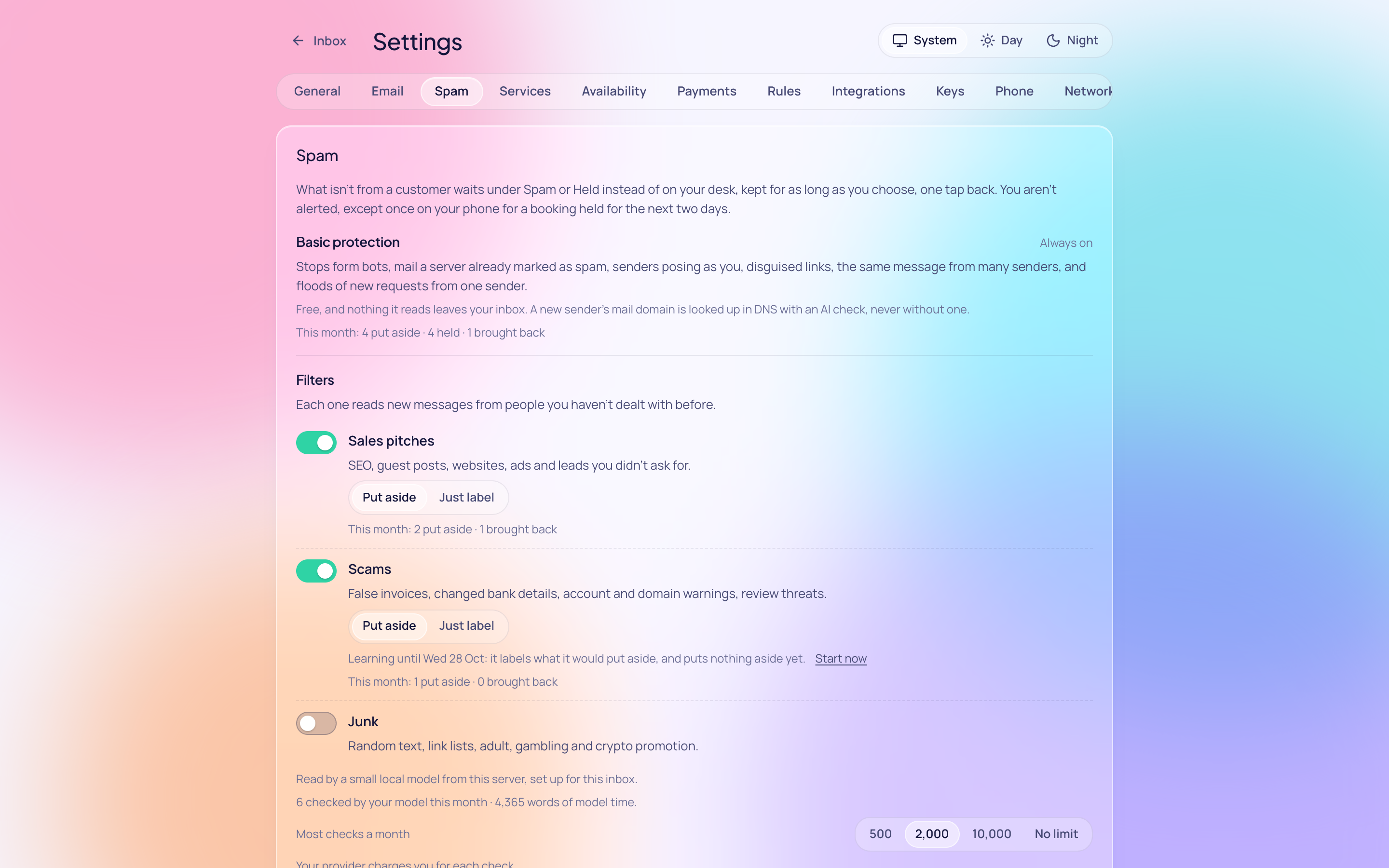
Three filters
Each one reads new messages from people you haven't dealt with before. With Pro on a hosted inbox they start on; on your own server, switch on the ones you want.
-
Sales pitches
SEO, guest posts, websites, ads and leads you didn't ask for.
-
Scams
False invoices, changed bank details, account and domain warnings, review threats.
-
Junk
Random text, link lists, adult, gambling and crypto promotion.
Each starts with a learning week: it labels what it would put aside, and puts nothing aside yet. Put aside, or just label: the choice is yours, filter by filter.
Free, always on
- Form bots: a hidden field filled in, a form never opened, one filled faster than anyone types.
- Mail a server on its way already marked as spam.
- Senders posing as you, and addresses made to look like yours.
- Disguised links: one address shown, another behind it.
- The same message, or the same link, from many senders at once.
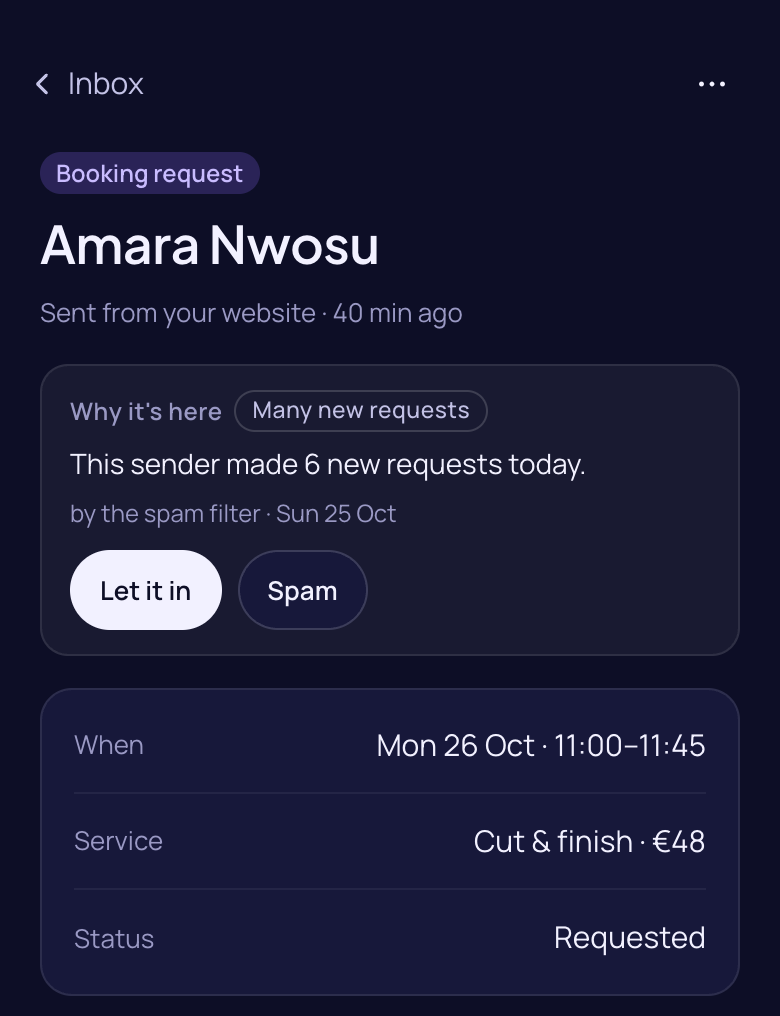
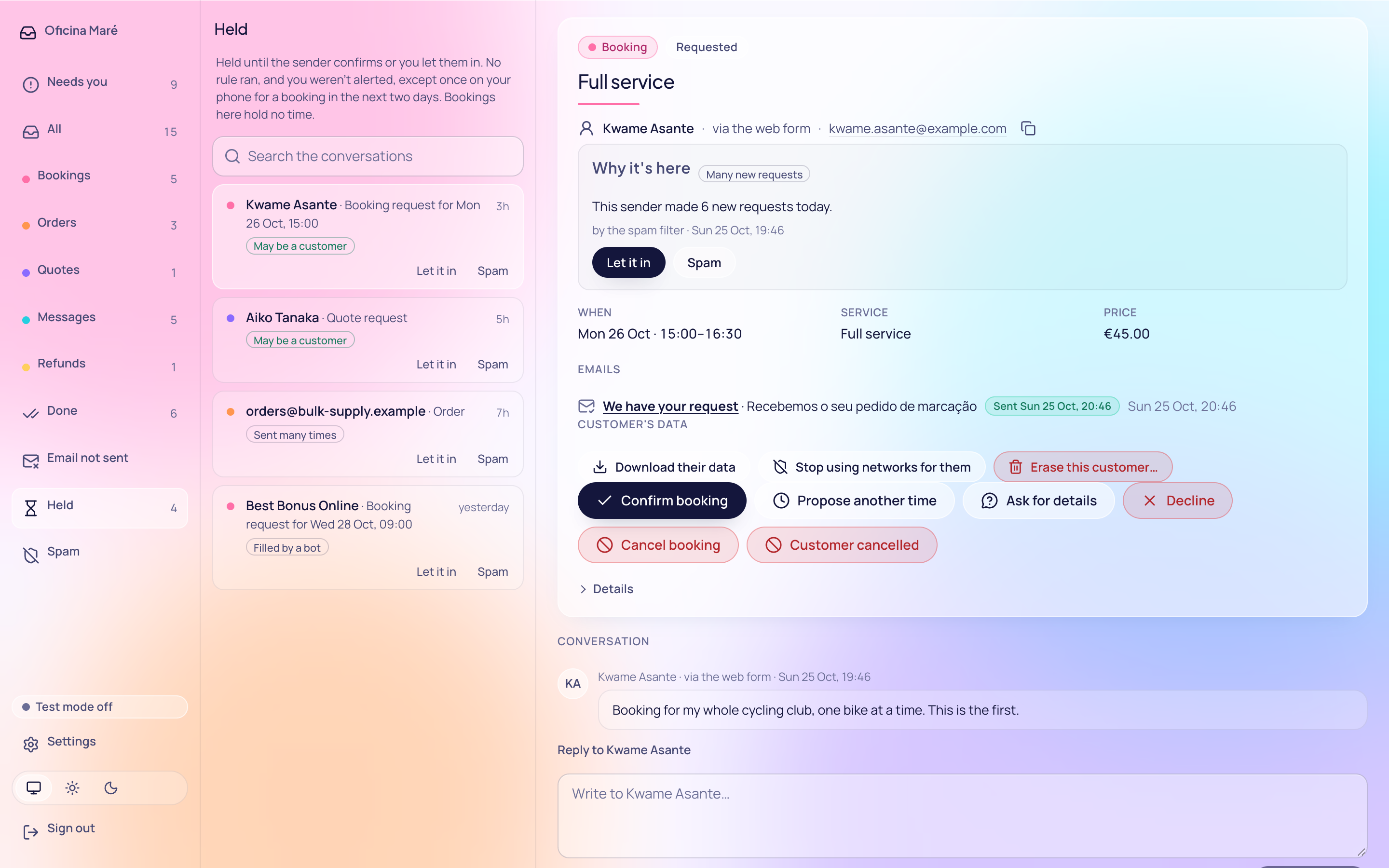
- Floods of new requests from one sender.
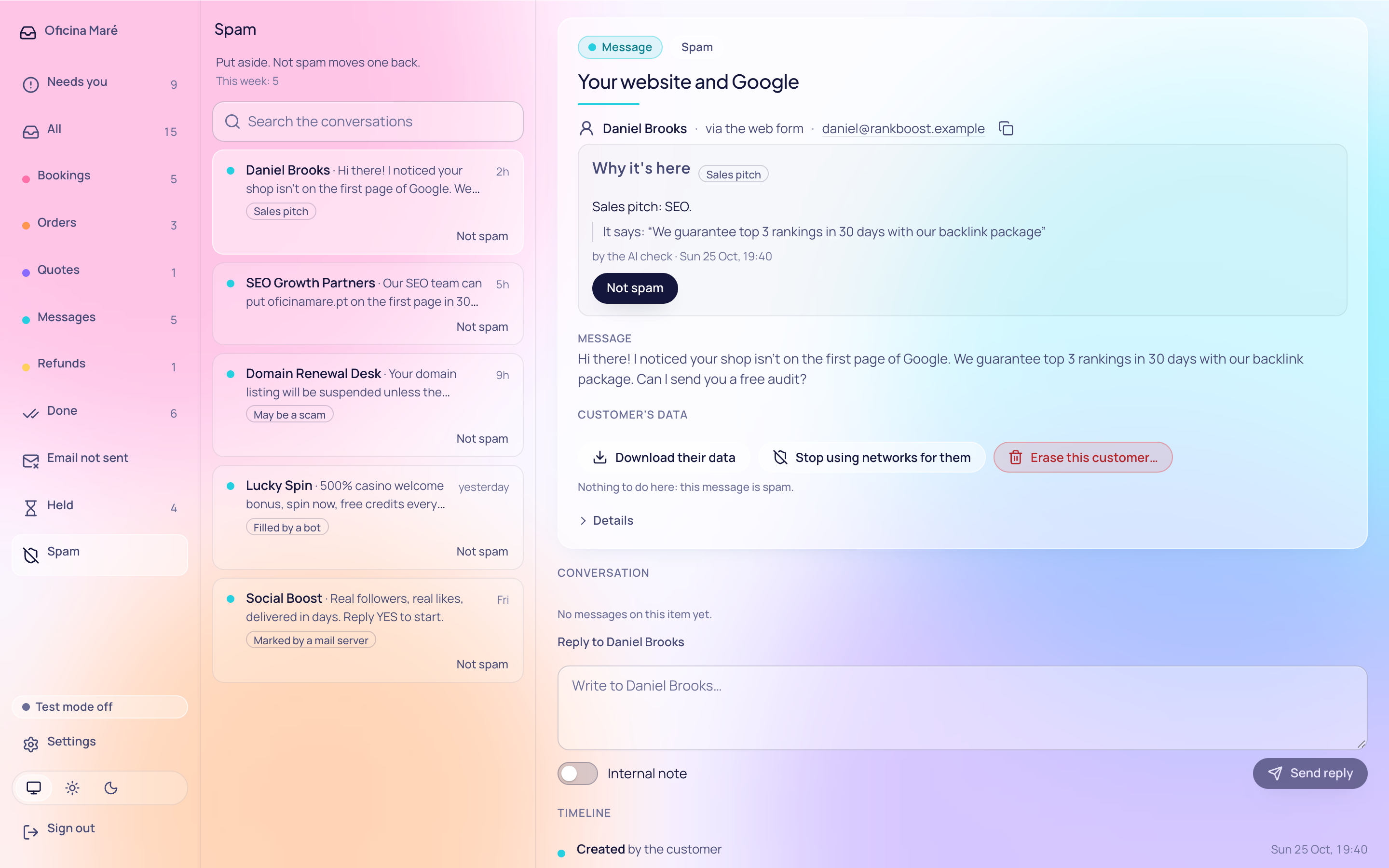
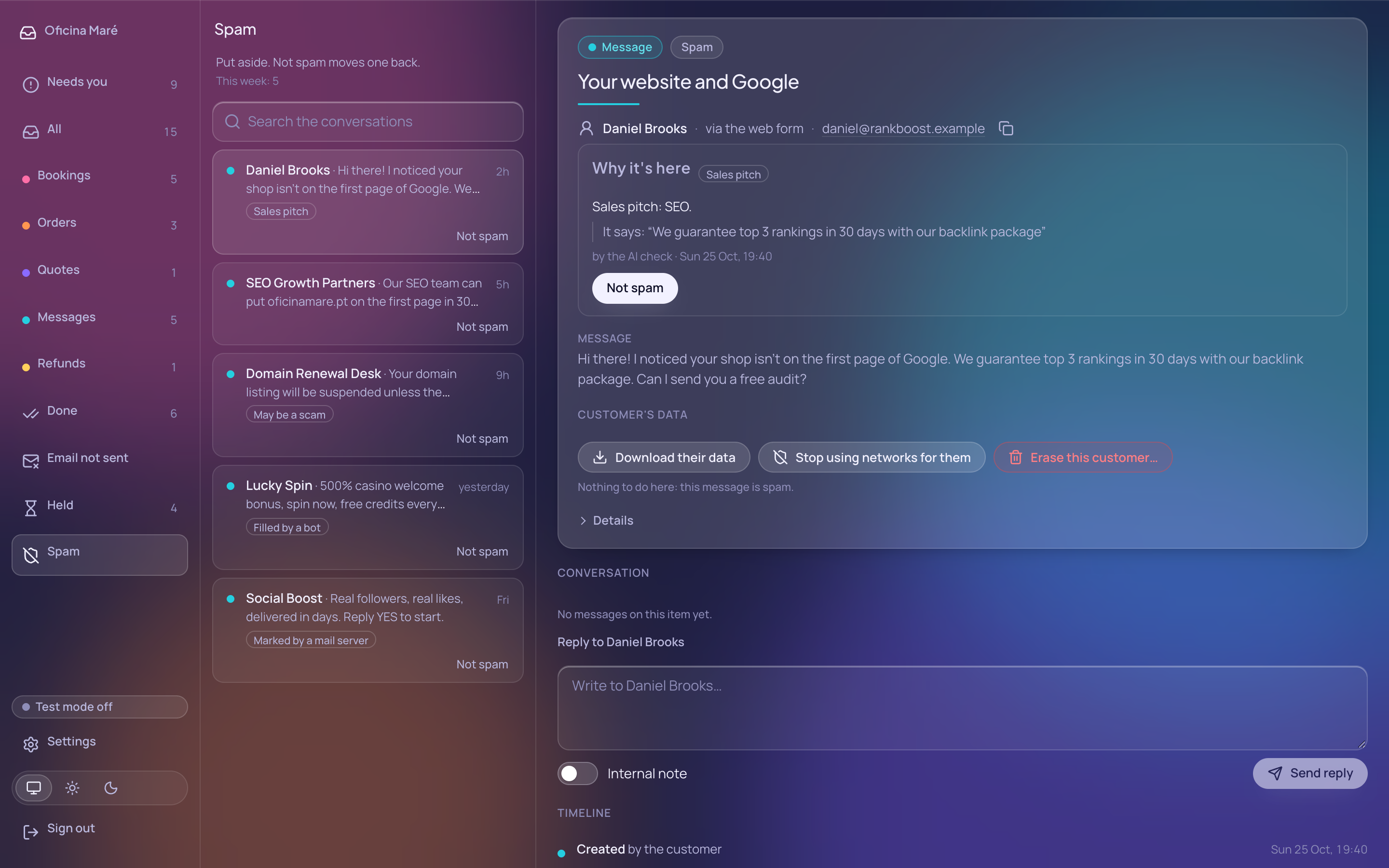
It tells you why
Under Spam, each message carries a short label and a sentence saying why, and the words it found are quoted. Nothing a model wrote is shown: the reasons are the filter's own.
Kept, not deleted
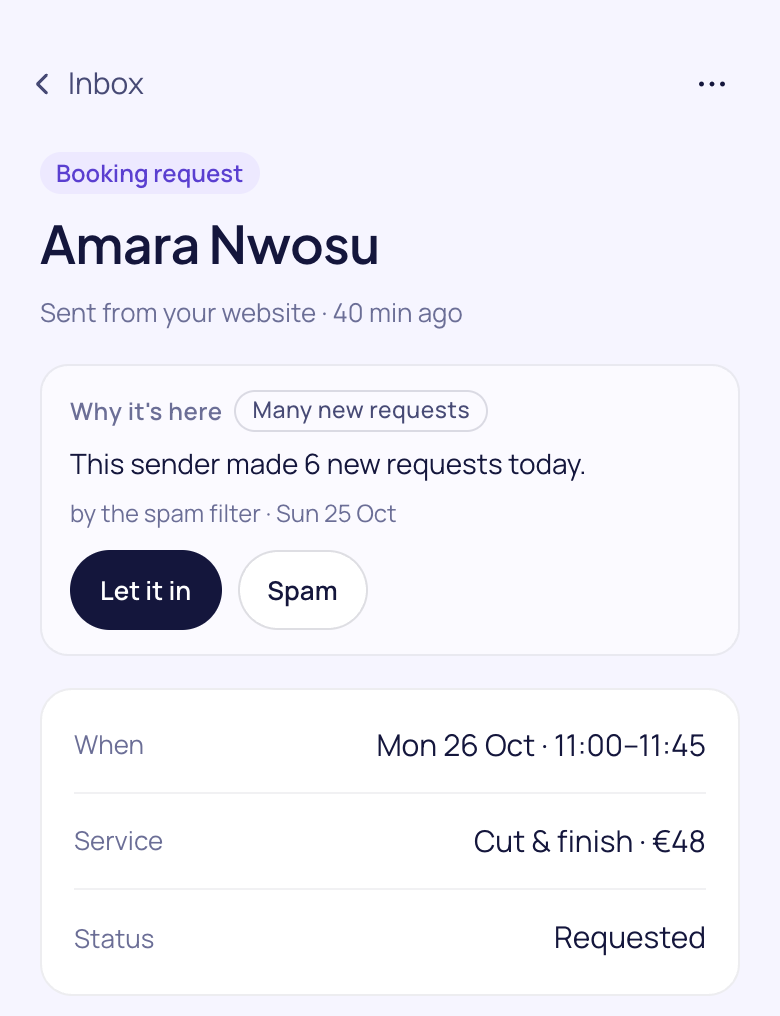
Bookings it doubts wait for the sender to confirm, and hold no time. Messages it puts aside are kept for as long as you choose, and one tap brings them back.
A request held for a booking in the next two days reaches your phone, once, without a name. Nothing else that waits does.
Keep your form
Put our form on any site, with no script and no puzzle for your customers. Or let your own website's forms pass what they receive to your inbox, with a key that can do nothing else.
Your messages stay yours
No spam company's cloud. Hosted inboxes share fingerprints of spam with each other, never messages, and a fingerprint can't be turned back into one. Before anything is read by AI (with Pro, Claude Haiku from Anthropic), email addresses, phone numbers and bank details are taken out.
What it costs
Run it yourself: free, with your own AI model or none. Hosted: basic protection is free; the three filters come with Pro, $10, €10 or £9 a month, taxes included, read by Claude Haiku from Anthropic, which we pay for. The $10 supports the open-source inbox, the open network, and keeping access to AI agents from being locked in a connector store.
Read more: how to stop contact form spam without losing customers · the spam filter, in the docs
Questions
Will I miss a customer?
Nothing is refused, bounced or deleted for what it says. What it is sure of waits under Spam, explained. Bookings, orders and quote requests it doubts wait under Held, holding no time, until the sender confirms or you let them in. The rest reaches you, labelled if unsure. A sender flooding you with new requests is asked to retry later.
What does a customer see?
The same page after sending and the same answers to their assistant. They get the same email saying their request arrived, unless it looks sent by a bot, matches one you marked, or comes from a sender you put aside. That email asks every new customer to confirm it is them, so it gives nothing away.
Does it work in my language?
Yes. Language, script, country, name, spelling and email provider are never reasons. It looks at how a message came and what it asks for. Its tests include more than 140 customer messages in 29 languages, short, rude, misspelled or machine-translated, and none of them is put aside.
Which AI models can I use?
On your own server: a key from Anthropic, OpenAI or Google Gemini, or a model you run; without one, the filters look for known phrases. Hosted, with Pro: Claude Haiku from Anthropic, which we pay for. Anthropic doesn't train on what it's sent, and deletes it within 30 days unless its safety checks flag it or the law requires otherwise.
Can an AI assistant still ask me for a price?
Yes. An assistant asking for its person is a customer. A request that names what you offer is never put aside for its words alone, and an assistant that signs its requests or carries its person's pass is trusted more, never less.
What about my WordPress forms?
The inbox's WordPress plugin points AI agents at your inbox. Your form plugin's messages can reach the inbox through its forms door, with a key that may do nothing else; a developer connects it once. A plugin setting that does this for you is not built yet.